One calendar, clear skies.
See it in actionHover any day.
See all of it.
Hubble is a native calendar for Mac, iPad and iPhone. Every calendar you have, your Notion deadlines, to-dos and habits live in one place, and any day opens with a hover.
Your schedule lives in too many places.
Work sits in one calendar. Family sits in another. Deadlines live in a Notion database, habits in a tracker, and the to-do list wherever you last left it. Each tool is good at its own job, and none of them can show you a Wednesday.
Hubble is a calendar built to show the whole Wednesday. It borrows the calm of Apple Calendar and the reach of Notion Calendar, then adds ways of reading time that neither one has: a month that opens when you hover, phone weeks you pinch between, and a layout made for the iPhone Duo.
This page covers what Hubble does, which devices it runs on, where it is headed, and what Free and Pro include.
Five ideas that change how a calendar reads.
Each one exists because a standard calendar made it harder to see what was actually happening. They are small, and together they are the reason to switch.
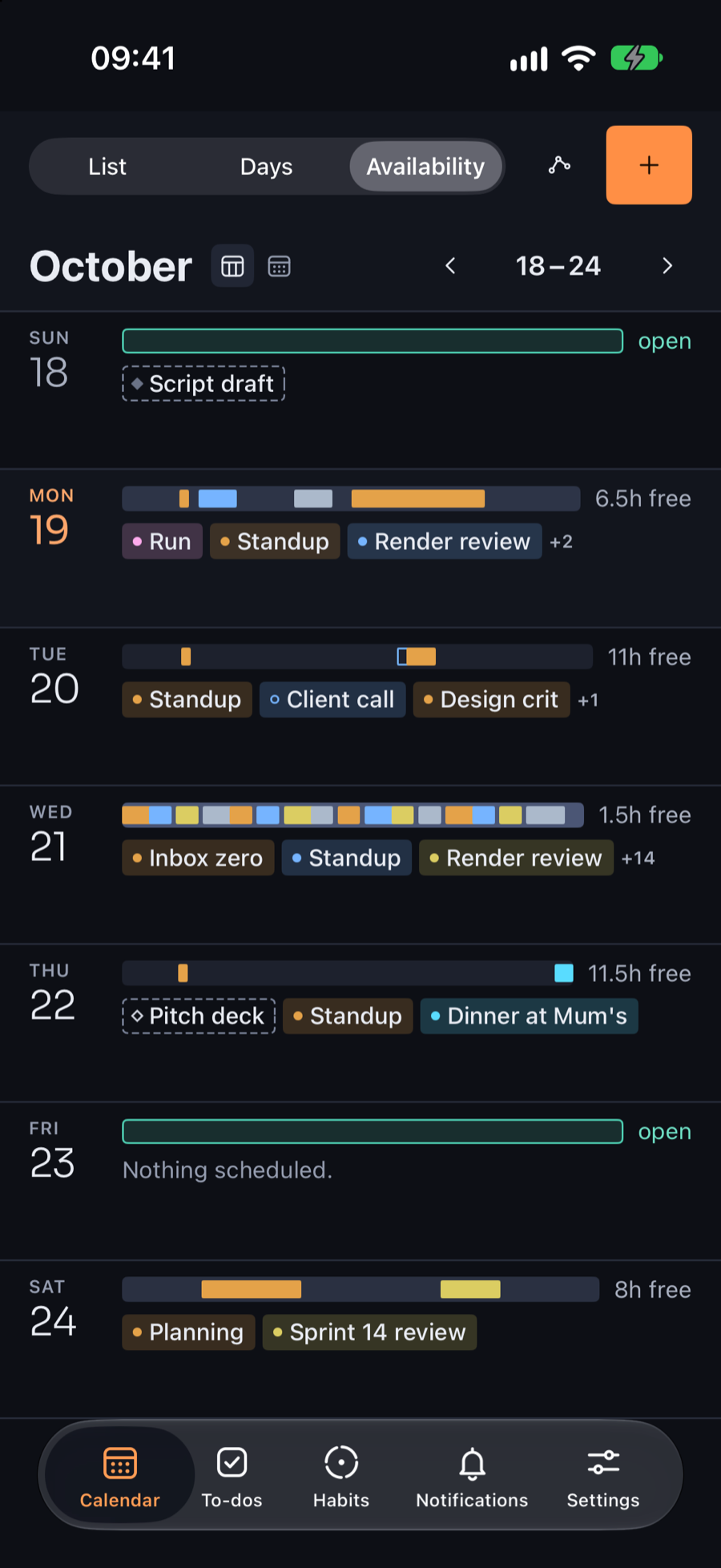
A week you can read top to bottom.
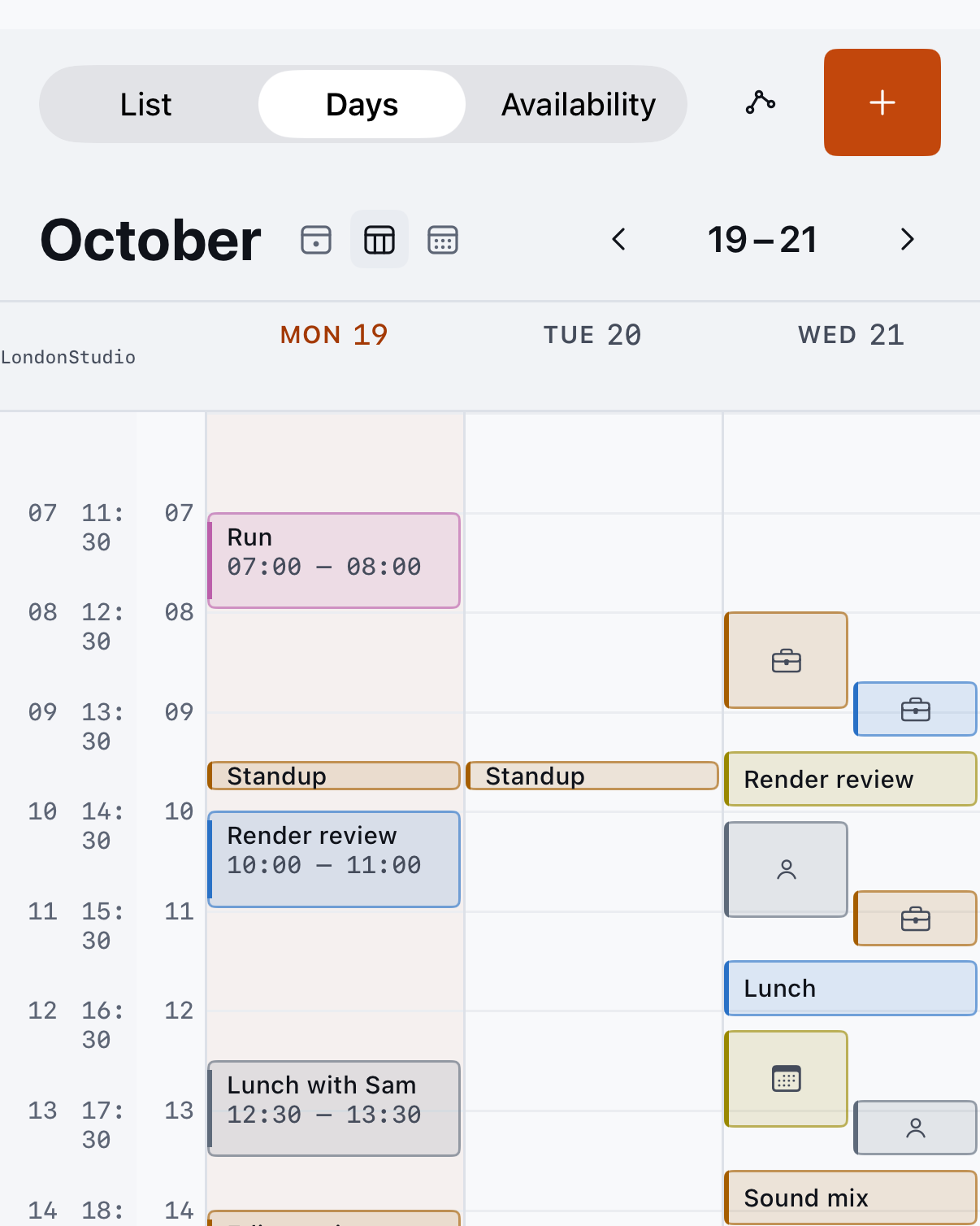
Most calendars cram seven columns into a phone and cut every title down to a few letters. Hubble stacks the week vertically, so each day gets the full width of the screen and long titles stay whole.
- Each day gets the full width of the screen
- Long event titles stay readable
- Works on iPhone, iPad and Mac

Fig. 3. The List view on iPhone. Each day gets the full width, so titles, places and guests stay whole.
Turn the phone, get the whole week.
Rotate the phone and the week opens into columns, with time running down each day the way it does on a desk. No sideways scrolling, no hidden weekend. At the largest text sizes it switches to three days at a time, so nothing gets squeezed.
- Seven days side by side in landscape
- Rotating keeps the day and week you were on
- Pairs with the vertical week for portrait
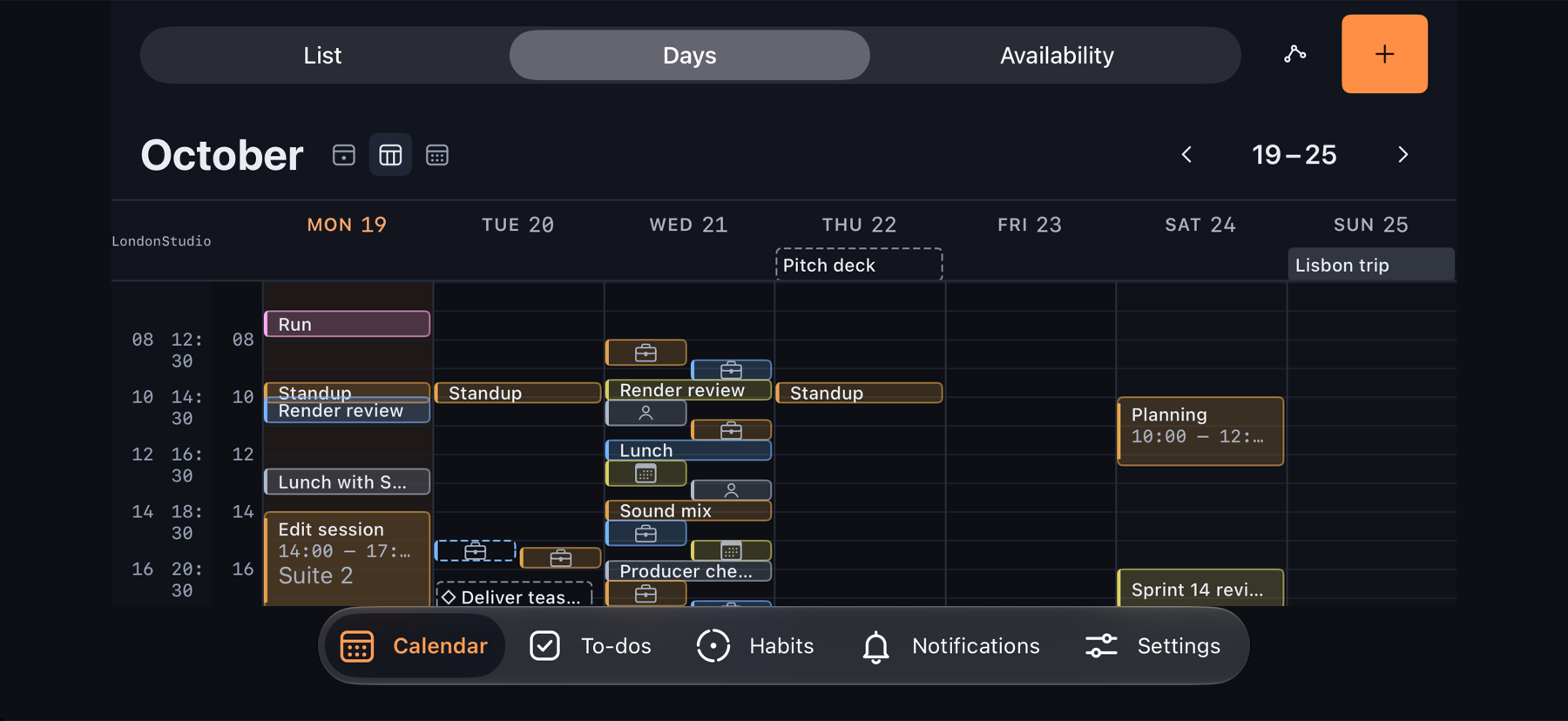
Fig. 4. The landscape week on iPhone. Seven days, one screen.
Notion deadlines, next to everything else.
Point Hubble at a Notion database, choose the date property, and your deadlines appear on the calendar beside work, family and personal events. You stop checking two places to find out what is due.
- Pick the database and the date property
- Deadlines get their own color, so they never hide in the noise
- Edits write back to Notion, part of Pro
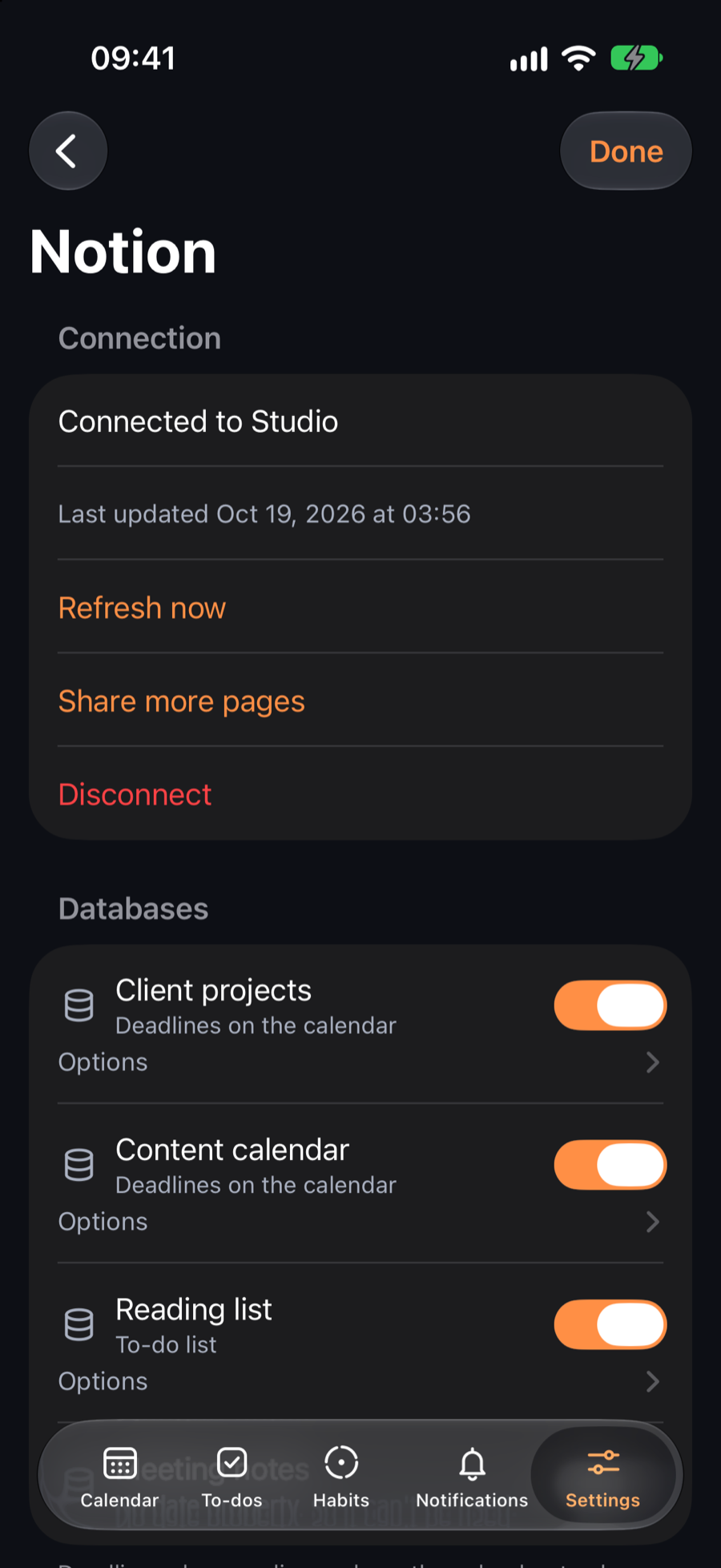
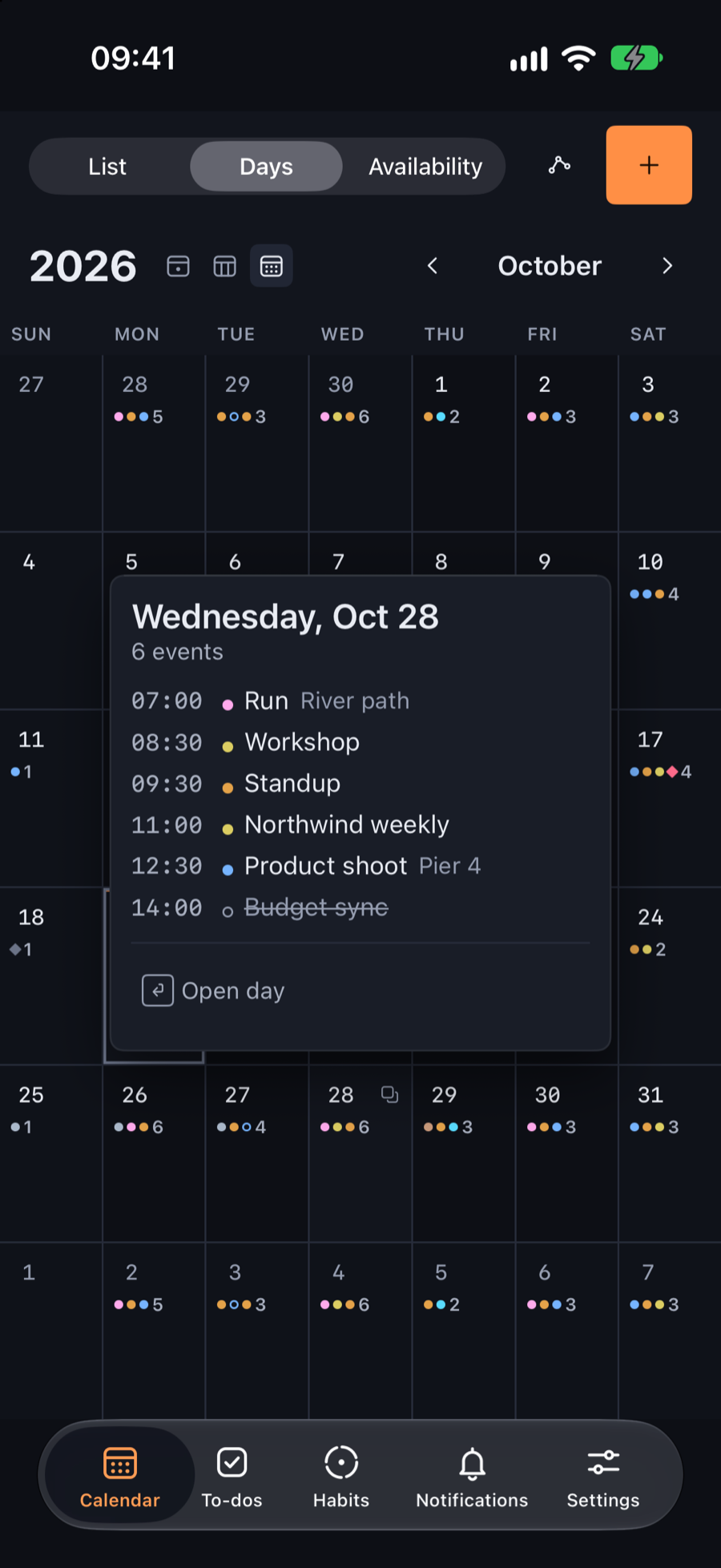
Fig. 5. Notion databases switched on in Settings, each used as deadlines or a to-do list, and the month they land on.
Every calendar you already have.
iCloud, Google, Outlook, Yahoo and custom domains show up side by side. Connect Google or Microsoft directly to invite people and answer invitations right in Hubble, with Meet, Teams or Zoom links added for you.
- All the major providers in one list
- Invites and RSVP with a direct connection
- Nothing to migrate or export
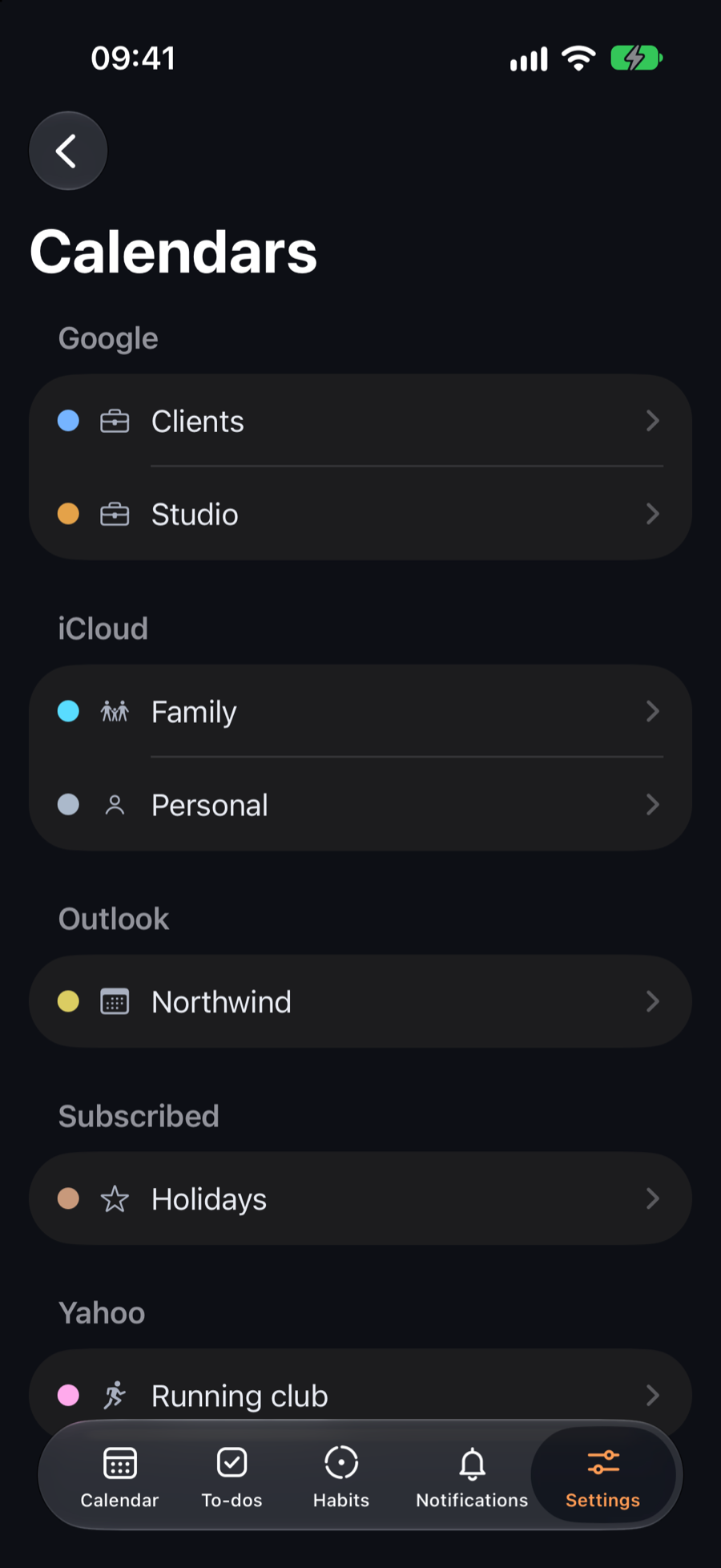
Fig. 6. Calendars grouped by account: Google, iCloud, Outlook, a subscription and Yahoo, side by side.
One hub for the rest of your day.
Calendars are the start. To-dos from Apple Reminders and Notion sit beside them, and habits link to Apple Health so a run or a walk checks itself off. When the schedule has a gap that fits, Hubble nudges you to use it.
- Reminders and Notion to-dos beside your events
- Habits that check themselves off with Apple Health
- A nudge when a gap in the day fits a habit
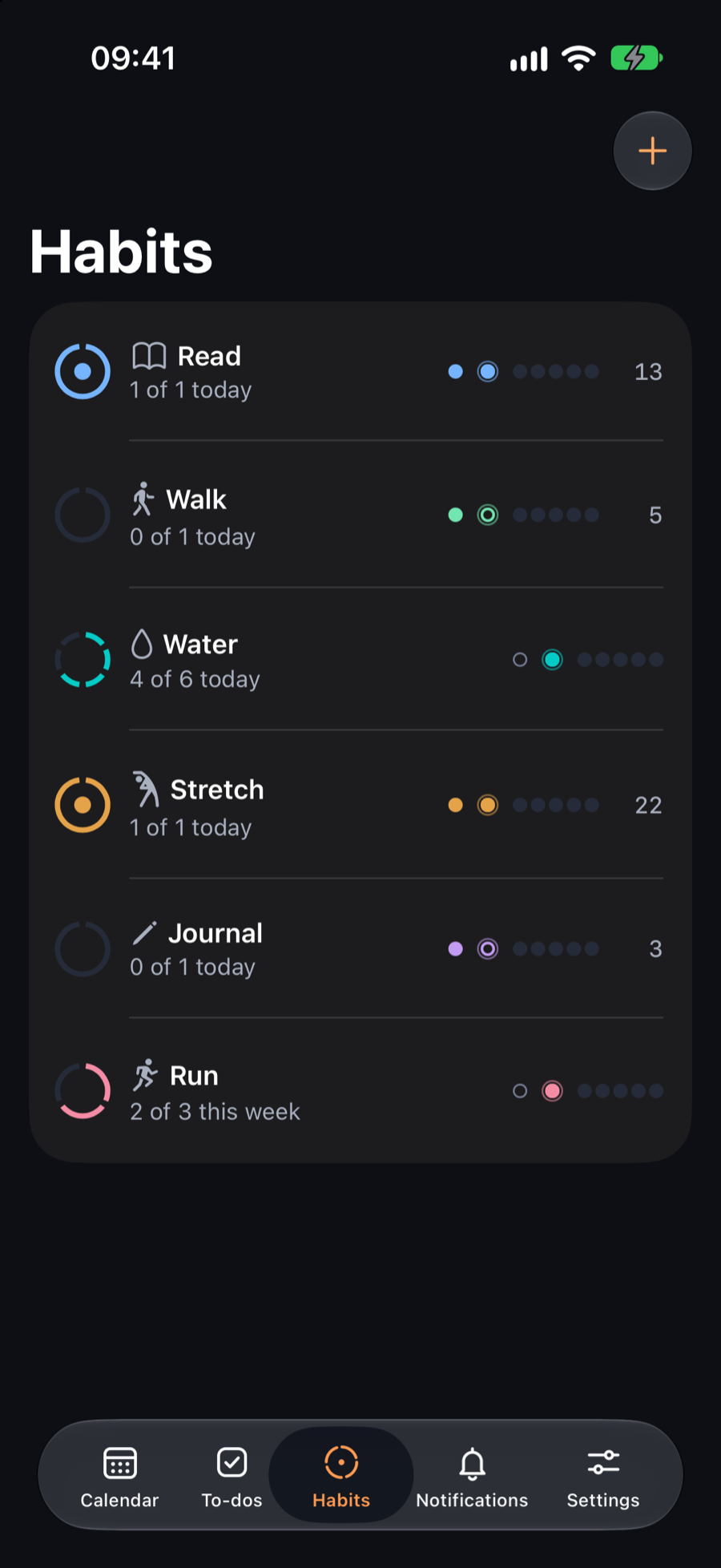
Fig. 7. Habits on iPhone, with daily and weekly goals and a streak for each.
Everything that ships in 1.0.
The ideas above are the headline. Here is the rest, and which plan it comes with.
Day peek and pinning
Hover, press or slide over any day to see all of it. Pin one to compare with another.
Phone views
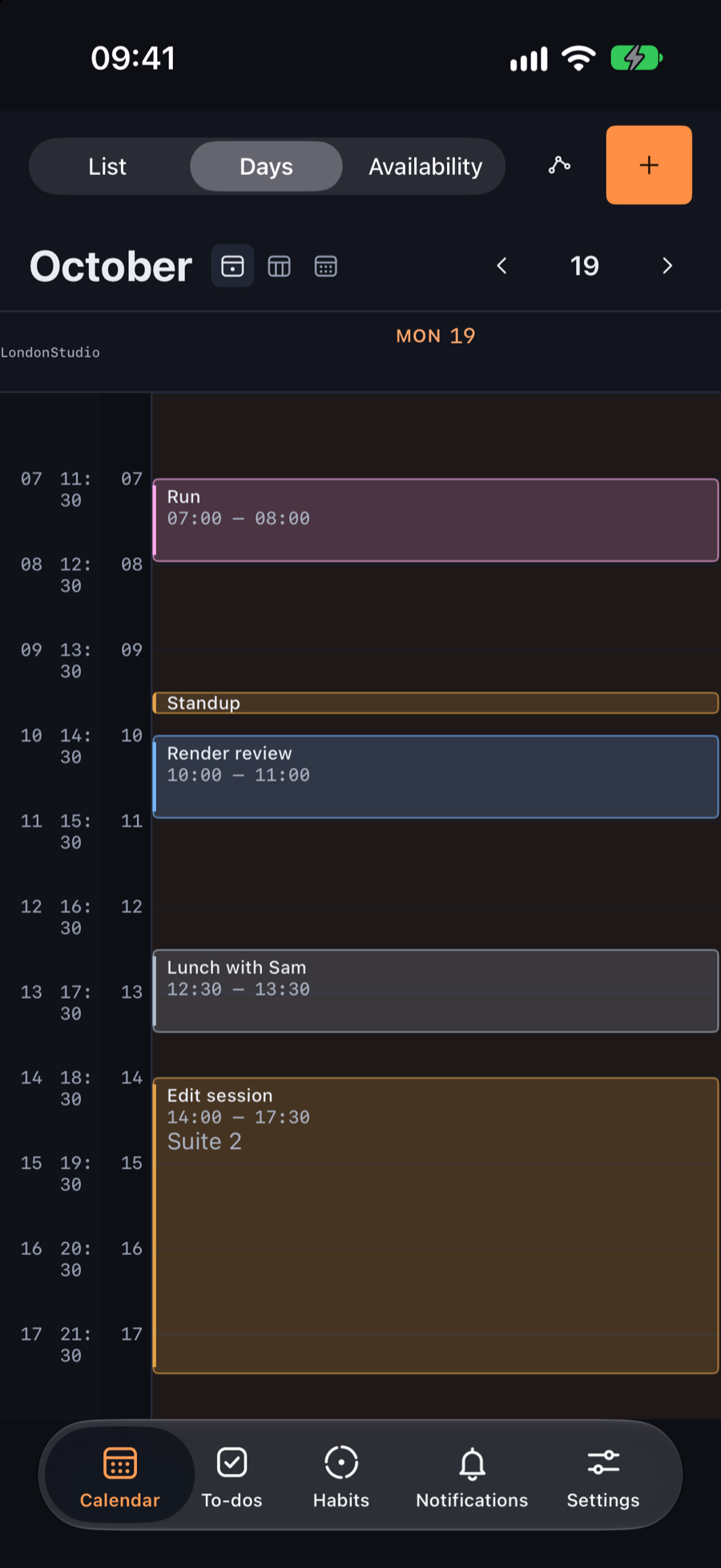
List, Days and Availability, each with its own pinch range, from a single day out to the month.
Made for the iPhone Duo
Half open, a day sits on one side and your view on the other. Fully open, event detail sits beside the list.
Create and edit
New events, repeats and alerts, drag to move and resize, with undo. Changes go straight to the right account.
Google and Microsoft, direct
Invite people and accept or decline in place, with Meet, Teams or Zoom links. Sign-in tokens stay on your device.
Notifications
Invitations, changes, cancellations and new bookings in one inbox, newest first.
Widgets
Today, week and month on the Home Screen and the Lock Screen, matching the app exactly.
Calendar Sets
Save a group of calendars and switch with Command 1 to 9. Two on Free, as many as you like on Pro.
Notion, read and write
Deadlines on the calendar and to-do lists that check off back in Notion.
Habits with Apple Health
Rings, streaks and habits that check themselves off from workouts, steps, sleep and more.
Booking links
Open windows people can book into. Only busy and free times leave your device.
Calendar tags
Work, Life, Personal, Family and your own, for filters and Sets.
From scattered to settled in four steps.
Setup takes a few minutes, and most of it is deciding which calendars you want to see.
Connect your calendars
Accounts you already have in Apple Calendar show up on their own. Pick a color for each, and connect Google or Microsoft directly for invites.

Add your Notion deadlines
Sign in to Notion and switch on a database. Its dates show up as deadlines or to-dos, in their own shape.
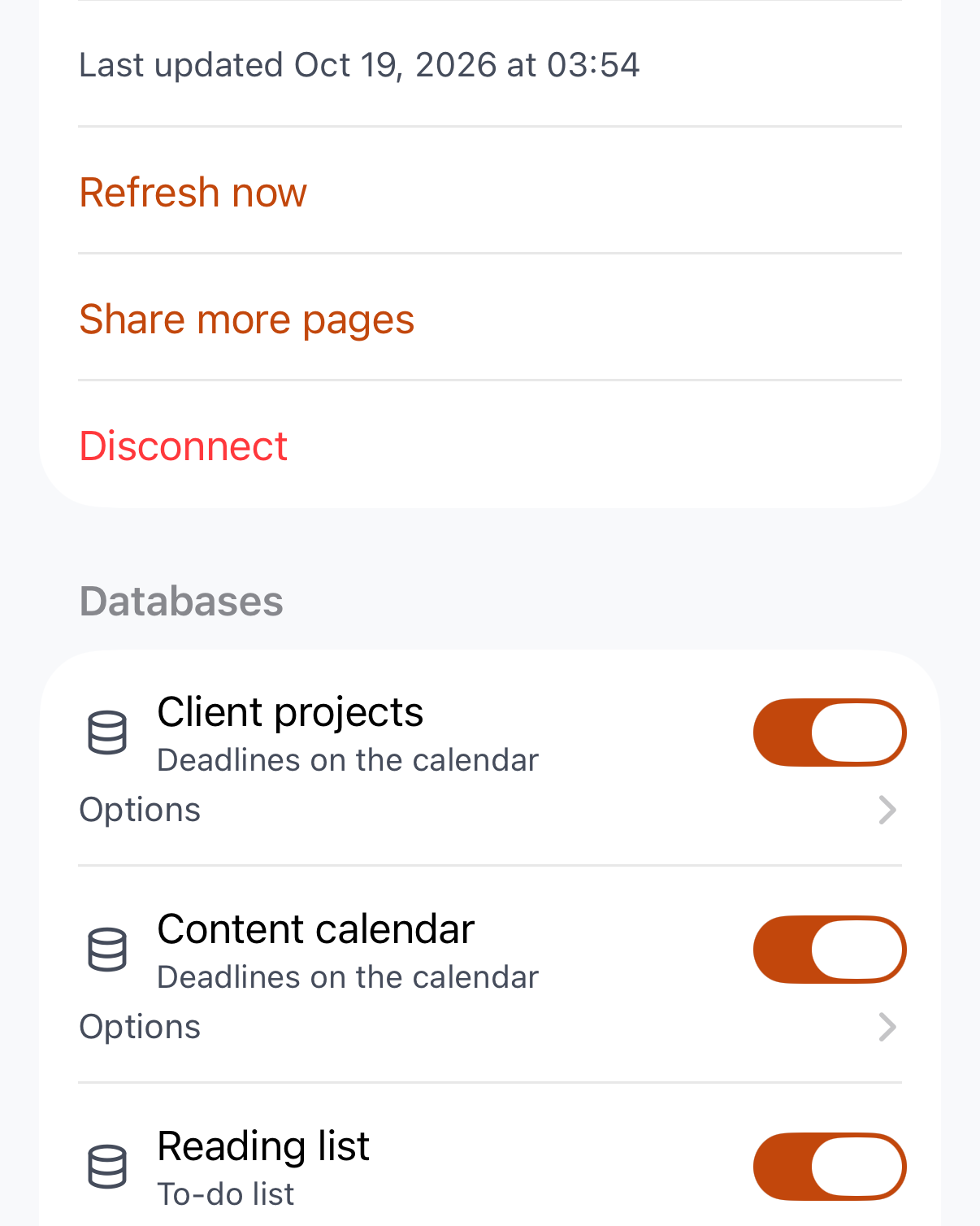
Scan the month, open a day
Read the month at a glance. Hover, press or slide over a day to see all of it, and pin one to compare.

Plan the week
Pinch between List, Days and Availability, or turn your phone for the week in columns.
Native on every Apple screen.
Hubble is written in SwiftUI, so each device gets an app that behaves like it belongs there, not a stretched copy of another one.
Mac
Hover to preview any day. Built for the trackpad and the keyboard.
iPad
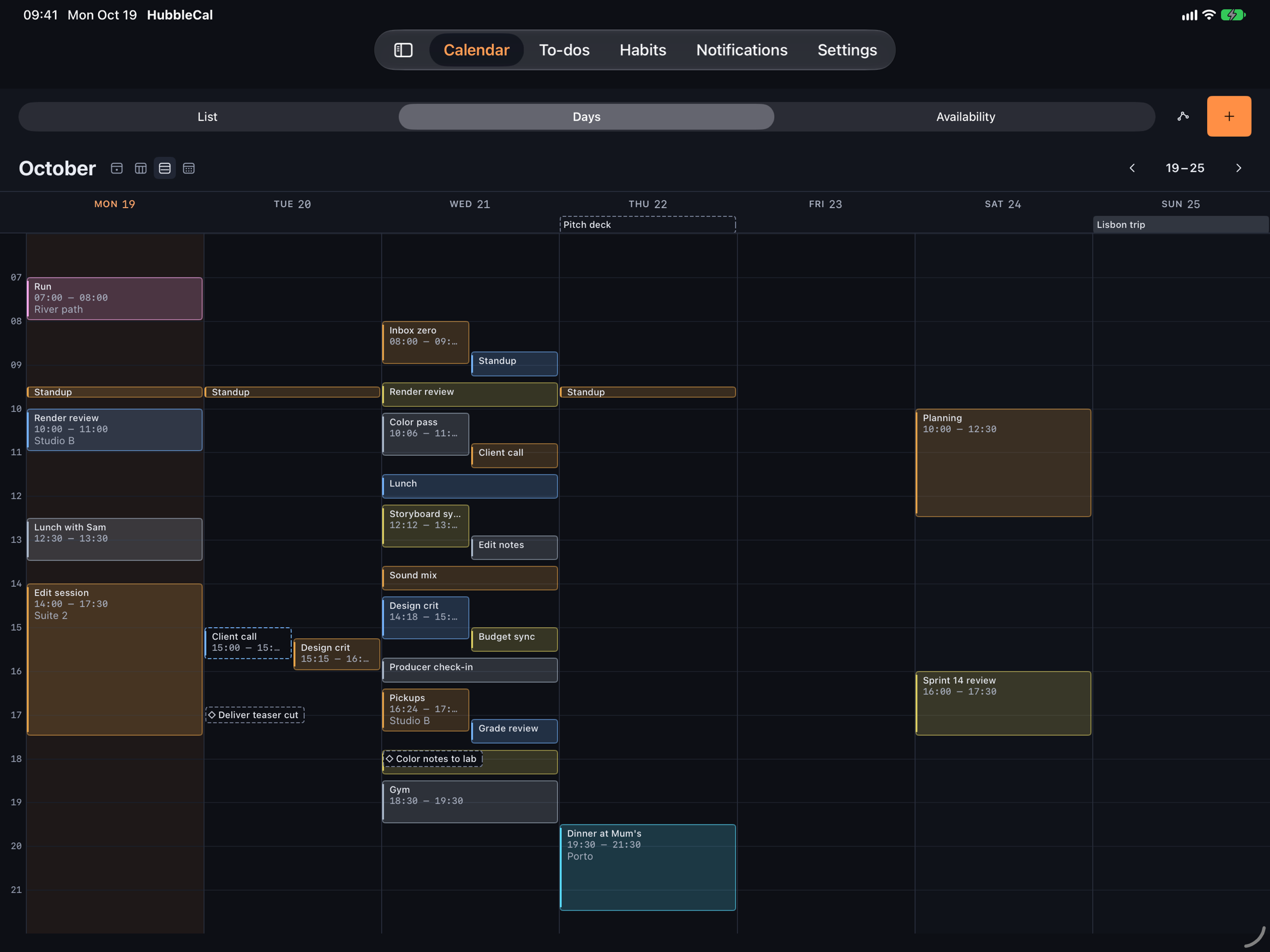
Hold a day to peek, with the sidebar there when you want it.
iPhone
List, Days and Availability views. Pinch to move between them.

iPhone Duo
Half open, a day on one side and your view on the other.
Android
Planned for 2.0.
Where Hubble is headed.
The order below is the plan. The dates are not set yet, and this page will say so until they are.
Built and in daily use
Most of 1.0 already runs on our own devices: the month with day peek, the phone weeks, the Duo layouts, notifications, direct Google and Microsoft accounts, booking links and widgets.
Polish and private beta
An accessibility and speed pass, then invites in waves. Everything is unlocked and free, and your feedback decides what gets fixed first.
Hubble 1.0
The public release on the App Store. The calendar stays free. Pro arrives at $6 a month, with a $40 founder's lifetime for early supporters.
Hubble 2.0 and Android
Android is the 2.0 release. On the list for Pro after launch: sending your free times as a message, dragging a to-do onto the calendar, quick add in plain words and Apple Watch.
Free to start. Pro when you want more.
The calendar is free and stays free. Pro adds Notion, habits, tags and booking links, and one purchase covers Mac, iPad and iPhone. During the beta everything is unlocked and costs nothing.
Free
$0
The calendar, free for good
- Month, week, day and the phone views, with day peek and pinning
- Create and edit events on every calendar
- Apple Reminders to-dos
- Google and Microsoft invites and RSVP
- Today, week and month widgets
Pro
$6
A month, cancel anytime
- Everything in Free
- Notion deadlines and to-dos, read and write
- Habits that check themselves off with Apple Health
- Calendar tags and unlimited Calendar Sets
- Booking links people can schedule into
Lifetime
$40
Once, and Pro is yours for good
- Everything in Pro, forever
- One purchase for Mac, iPad and iPhone
- Every update that ships, no renewals
- A thank-you price for the people who show up early
Prices in US dollars. Pro and Lifetime go on sale with 1.0, and Lifetime stays at the founder's price only for a limited time around launch.
Questions people ask first.
Which devices does Hubble run on?
Mac, iPad and iPhone, including iPhone Duo. One purchase covers all of them. Android is planned for 2.0.
Which calendars can I connect?
Every account in Apple Calendar: iCloud, Google, Outlook, Yahoo and custom domains. Google and Microsoft can also connect directly for invites and RSVP, and Notion databases bring in deadlines and to-dos.
How much will it cost?
The calendar is free. Pro is $6 a month, and early supporters can get Pro for life at $40 with the founder's promotion. During the beta everything is unlocked at no cost.
What do I lose if I stay on Free?
Nothing you already have. Every view, the day peek, event editing, Reminders, invites and the basic widgets stay free. Pro adds Notion, habits with Apple Health, calendar tags and booking links.
When can I get in?
Waitlist members are invited in waves. You will get one email when your spot opens, and nothing else.
Where does my calendar data go?
Nowhere new. Events stay on your device and with the providers you already use, and there are no analytics. Booking links only ever see busy and free times, never what your events are.
Does Hubble replace Notion Calendar?
It is built for people who like what Notion Calendar does and want the calm of Apple Calendar too. Your Notion deadlines show up in Hubble, so you can keep using both.
Who is building it?
The Visual Mode, a motion design and 3D studio in Miami. Hubble started as the calendar we wanted to use every day.
Be in the first wave.
Join the waitlist and we will send one email when the beta opens. Free to join, free to try.